How I Organize My Crochet Projects with a Crochet Journal

Stay organized with a crochet journal! Track hooks, yarn, and progress while keeping all your crochet projects in one place.

The cover photo was created by WordPress AI

Effective Crochet Management: My Journey

I’m usually not a very organized person – sigh. And since I always need some variety, this definitely shows in my crochet projects. I often have several projects going at the same time.

Are you the same?

And do you always remember which hook or needle size you used for a special project, or which row or round you’re on? Well, I usually didn’t. When I came back to crochet I pretty quickly realized how important it is to keep track of my projects.

But it took some time until I discovered that a crochet journal (or crochet project tracker) can make all the difference.

Getting Started: My First Attempts to Organize Crochet Projects

At first – over 10 years ago – I simply noted the hook or needle size and the yarn used on my Ravelry project page. At this time I also used a printed copy of the pattern to make some notes. It worked quite well – for a while.

Over time, however, I printed fewer and fewer documents and switched more and more to my tablet. That’s when I started using a PDF reader – PDF Expert by Readdle. (I can definitely recommend it – in case you use Apple products)

From Ravelry to Digital Notes – My Early Crochet Tracking

My version of PDF Expert allows me to make marks and notes in a document. So, it was perfect to tick off the progress directly in a digital copy of the pattern. Or just make some short notes about the changes I made.

With PDF Expert, I also started to store all my purchased patterns in one place, in the cloud – including the ones from Ravelry. Believe me, it is much easier to find something when everything is together. My father always said that, and today I have to agree with him.

Why I Needed More Than Just Ravelry and a PDF App

When I started testing crochet patterns, however, that wasn’t enough anymore.

Testing isn’t just about recording your own progress. Sometimes you have to mark mistakes and note corrections. Besides it is helpful to keep track of details like yarn used, colours, or time spent. People love asking those things later when you show your finished work on social media!

For larger, more extensive projects, I also found it useful to record some basic information about the pattern. Such as assignment of colours, stitch counts, number of repeats or total yarn usage. Looking for that often meant scrolling back and forth or switching between documents. This was simply too time-consuming.

My Ravelry and my pdf app were no longer sufficient for this.

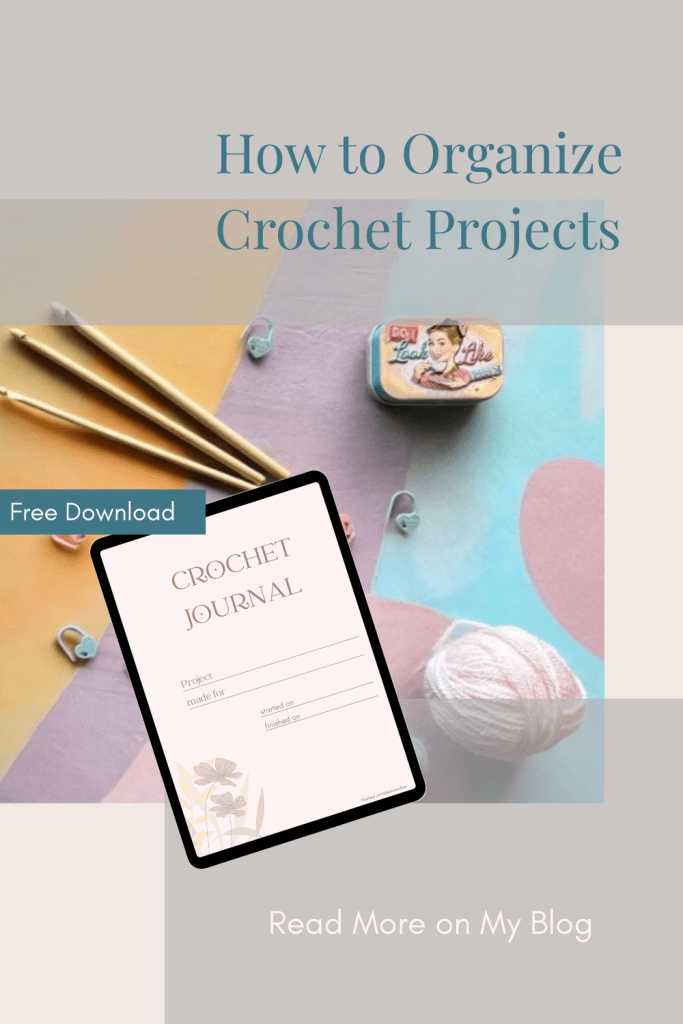
Pin it for later
The Start of My Own Crochet Journal

At first, I was looking for other apps that would allow me to record extensive notes on my projects. Unfortunately, none really met all my needs. The focus – at least at that time – was more on counting rows.

So I decided to create my own worksheet in Numbers (Excel or Google Sheets work just as well).

What to include in a crochet project tracker?

I took everything into account that was important to me:

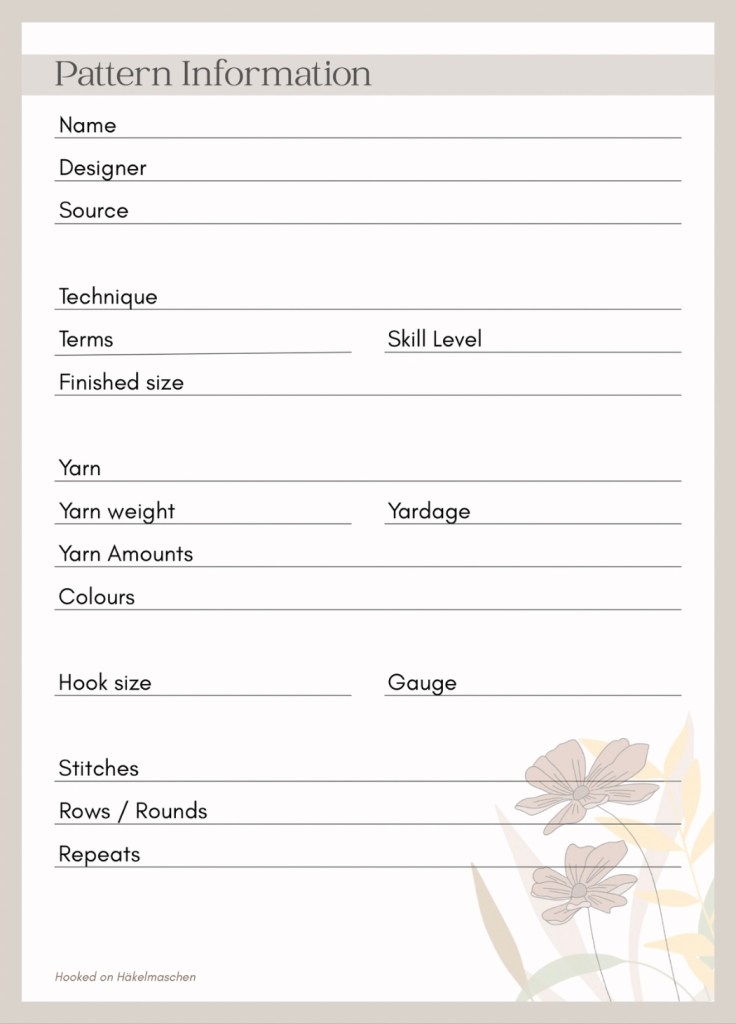
  • Basic pattern information about
    • the designer and where I got the pattern
    • Special techniques that are used (such as overlay or inset mosaic, Tapestry or Tunisian crochet)
    • Wether the pattern is written in US or UK terms (very important)
    • Original yarn and colours used, including yarn amounts, hook size and gauge
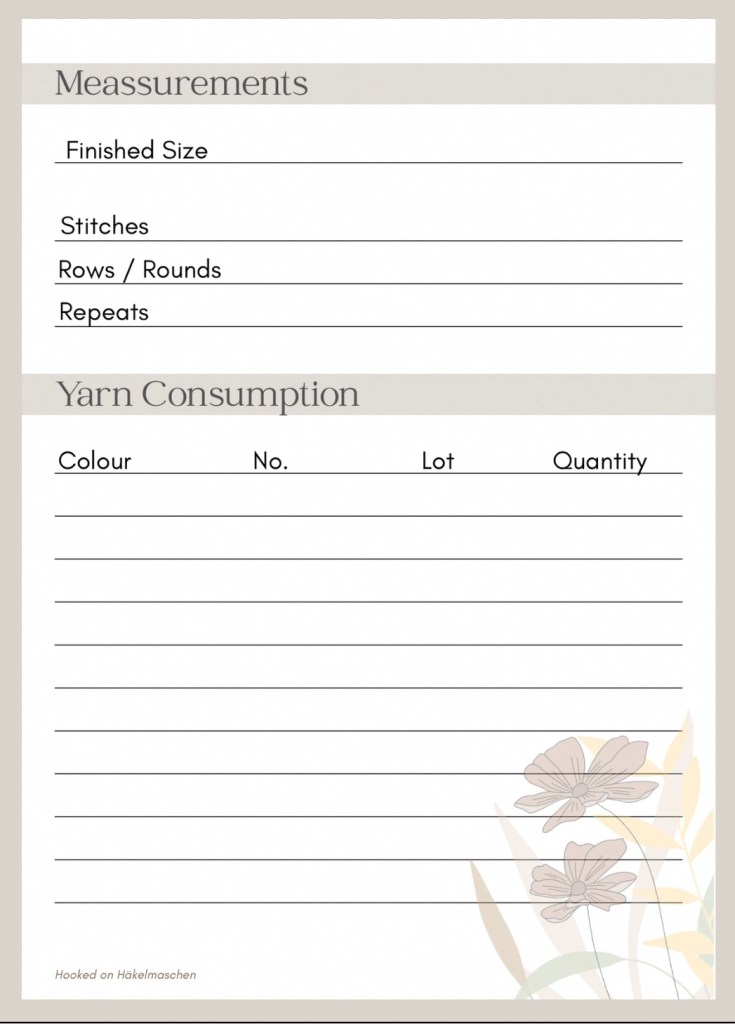
    • Measurements like final size, stitch counts, number of repeats, rows or rounds in total
  • Information about my own, personal, version
    • Like, the yarn I used, including the hook size
    • Details about my colours
    • Finished meassurements
    • Yarn consumption
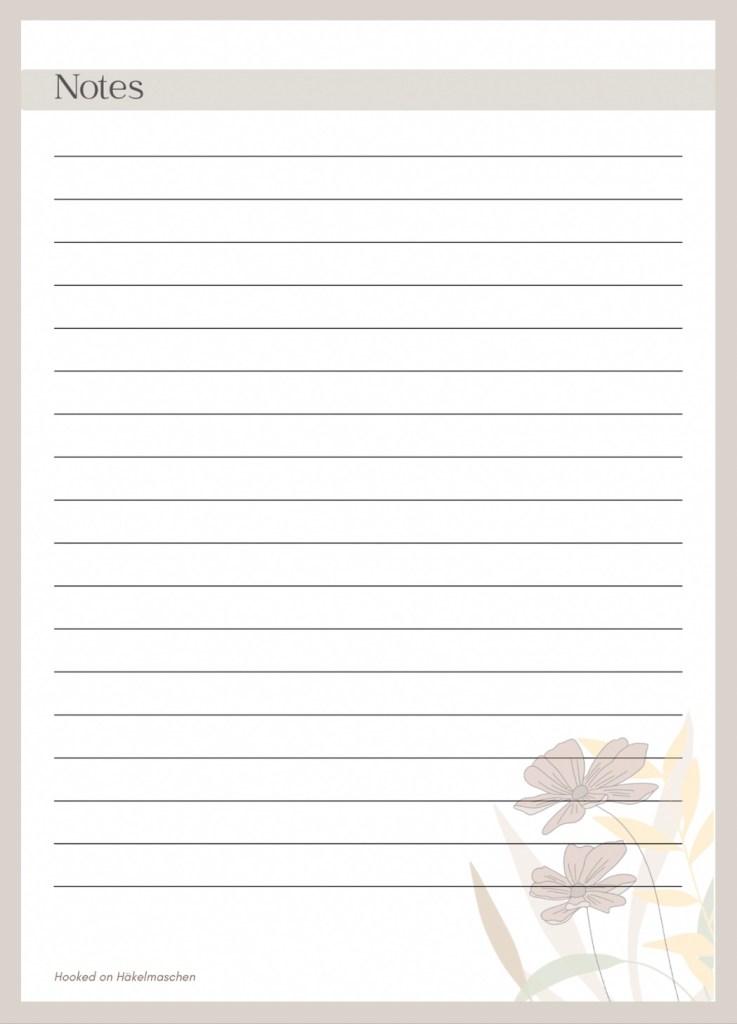
  • A sheet to take notes
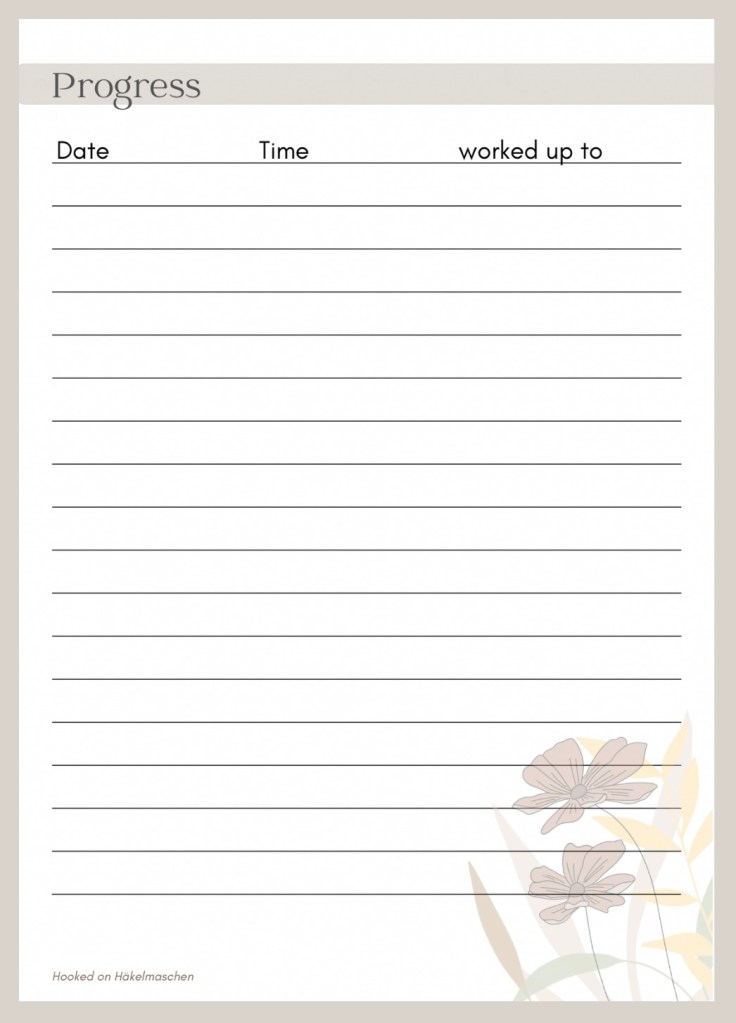
  • And a sheet to document the progress of the project

Perfect! – It worked fantastic!

The only thing that bothered me was the constant switching between pdf (pattern) and spreadsheet (notes) to make the necessary entries – using the keyboard.

Using a keyboard feels kind of strange when you are crocheting …

Designing My Crochet Journal in Canva

Finally this led me to design a crochet journal in Canva (another one of my favorite apps).
I based it on all the contents that were already included in my Numbers worksheet.

I have also added a sheet for photos. And created a way to quickly sketch something. This visualisation often helps me to understand the instructions better, especially with complicated patterns.

And this is the result:

I exported the Canva file as pdf and saved it as a master. Now I just have to duplicate the file and rename it when I start a new project.

I love to scribble around in it with my pen and quickly jot something down. That feels much better than a keyboard- at least for me.

I use this journal whether I’m testing a pattern or just working on something for myself.

The file can, of course, also be printed out or imported into a notes app (if the app supports file imports).

Final Thoughts on Using a Crochet Journal

A crochet journal is the perfect way to organize crochet projects without feeling overwhelmed. I can note down the yarn, the hook size, my progress, and even add photos or sketches.

By consistently keeping notes, I can easily look things up later if a question comes up. I always know which yarn and colours I used and how much time I spent.

Tell me I’m not organized!

If you are interested in my journal you can download a copy here

So, that’s my way of keeping my crochet projects under control. How do you keep track of yours?

I needed a bit of colour – Colour Experiment Part 1

Experimenting with Random Colour Combinations in Crochet

Lately I’ve been having incredible difficulties putting together the colours for a project. Ok, that’s never really been easy for me. But I’ve never found it as difficult as at the moment. I thought about making a new Gretchen but I am not even able to find two colours that would work together ant that I like. It feels like I’ve already used every colour combination before – I can’t think of anything new.
Maybe I just need to step out of my comfort zone and opt for colours I don’t normally use? Yes, maybe, but that’s really difficult!

Anyway, this gave me the idea to experiment a bit with colours and try something I’ve wanted to try for a long time

Random colour placement

I’ve read about it several times, but I’ve never gone into it in depth.

If you crochet simple shapes – such as grannies, circles or triangles and so on – and work with a lot of colours, there are countless ways to arrange these colours. And – you have probably noticed that too – you can achieve different effects with the arrangement of the colours. In my eyes a colourful granny blanket, for instance, looks best, when the colours are randomly put together. But how to achieve this?

To obtain random colour combinations, you can of course first list all possible combinations of the colours you are going to use. The easiest and best way to do this is probably with an Excel, Numbers, or Google spreadsheet. But I am afraid this can also get complicated. For instance: assuming you make a motif with 3 rounds, each round in a different colour (which should only appear once), and you use 5 colours, then there are already 60 possible colour combinations. The more colours and/or rounds, the more complicated the list becomes.

I haven’t tried this yet, so it’s just theory. But beyond that, I wonder what would happen if I couldn’t use all the colour combinations for my project. I would probably choose the ones I like best. Would that influence the overall impression?

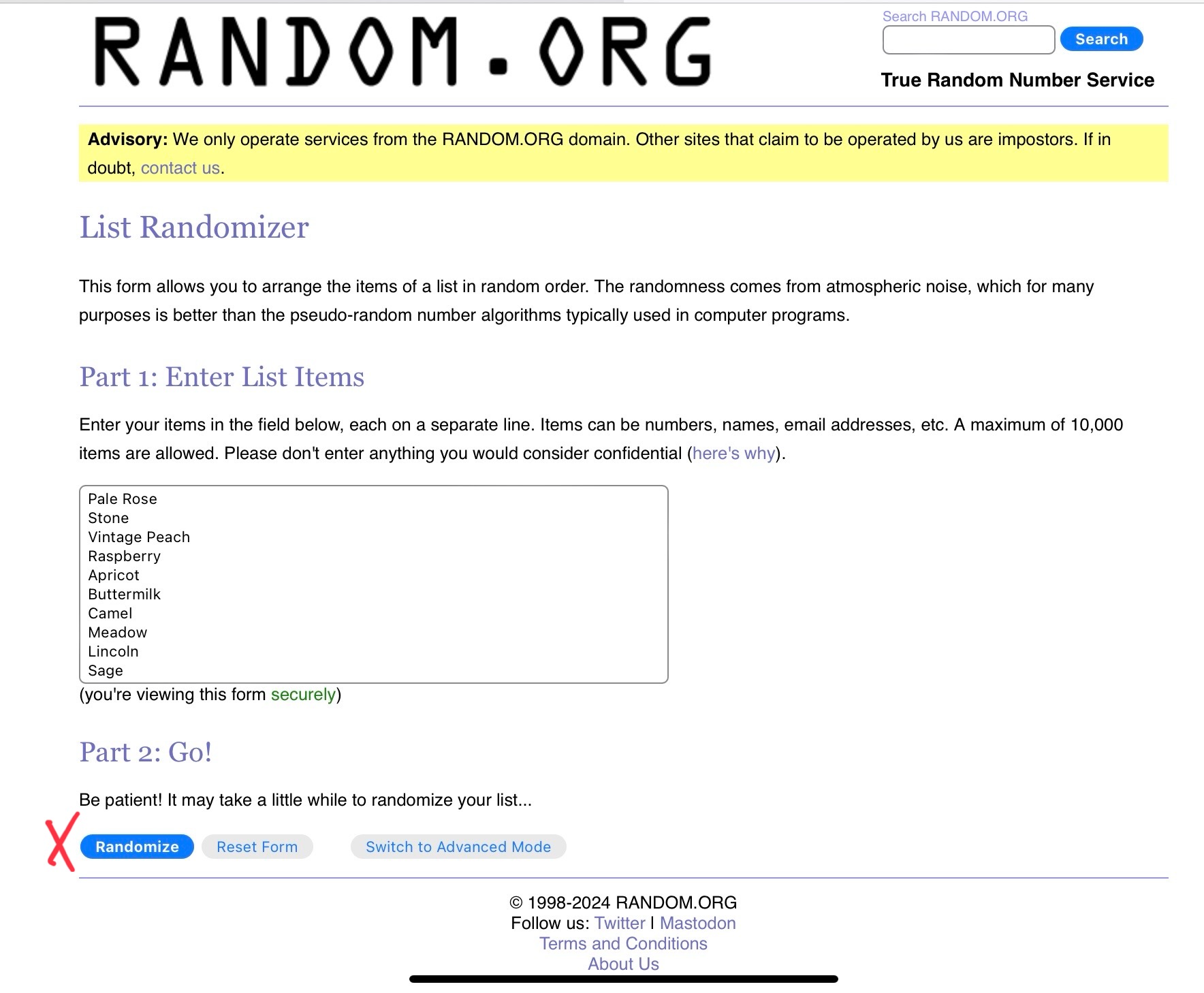
However, I wanted to try something different for a random colour combination. I had read about a website that has a random number generator: random.org. They offer different services, including a list randomizer.

For my colour experiment I had thought about crocheting circles. Each circle with 3 rounds in different colours.

My colours and the random outcome

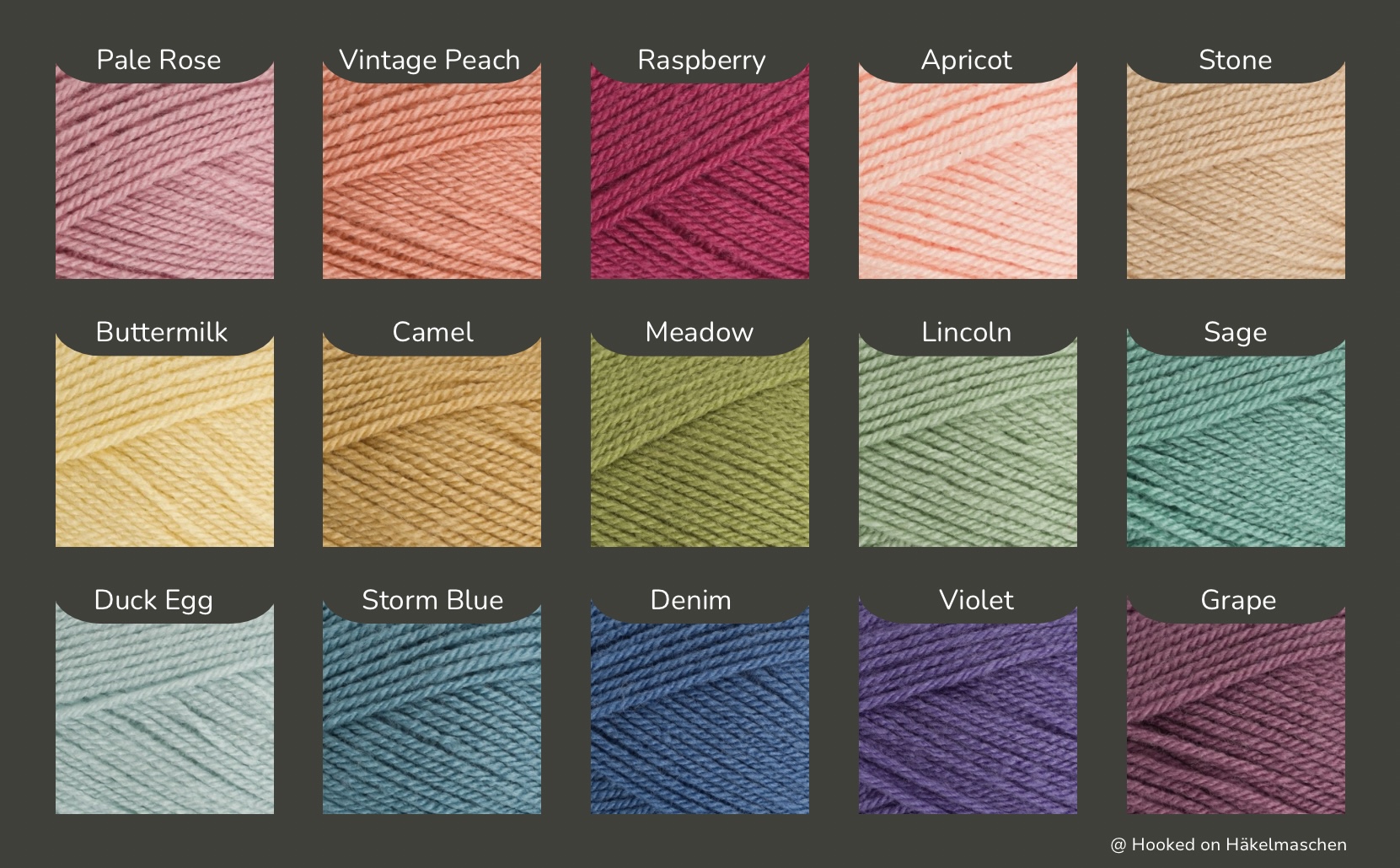
I picked up some of my little balls of leftover yarns and added some colours from my stash that I had never used so far, such as Stone, Camel, Lincoln and Violet. In the end I had these 15 colours that I thought might look good together.

All colours Stylecraft Special DK

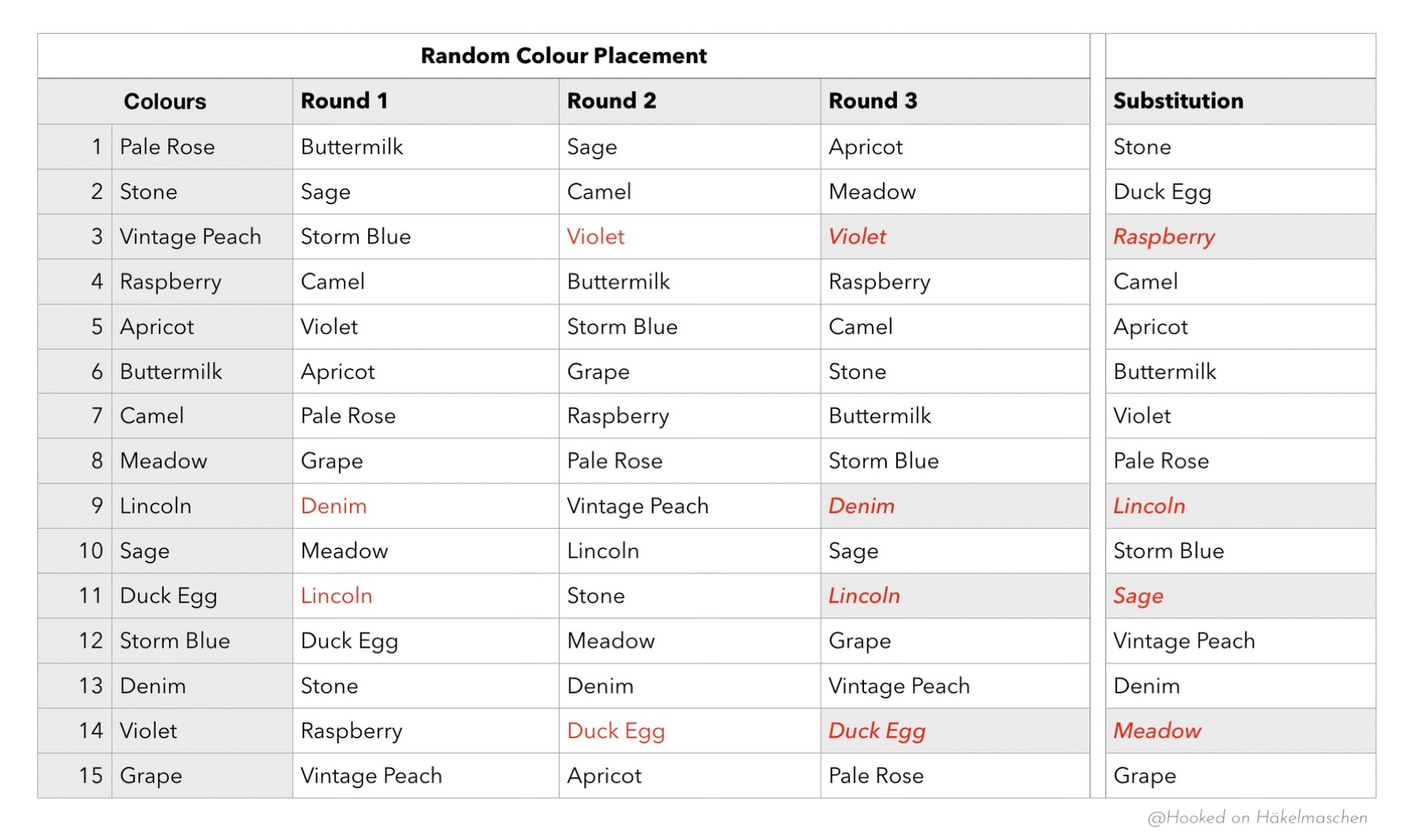
I listed all colours in a Numbers spreadsheet (shown in the picture below, first column). Then I copied this list to the list randomizer in random.org.

After hitting the button ‘Randomize’ I had the first result in no time – all my colours listed in a random order.
I copied this result back to my Numbers sheet, filling the column for Round 1 (see picture below).

Hitting the button ‘Again!’ in the randomizer and gave me another random list of my 15 colours. I copied this result back to my Numbers table filling the column for round 2.

Then I repeated this step once more to get the colours for round 3.

This way I got 15 unique colour combinations.

Unfortunately I had to realise that, based on the result, some colours would appear twice in one motif. Since I didn’t want this to happen, I repeated the steps described above a fourth time and entered the result in the ‘Substitution’ column. Now I was able to replace the duplicate colour with the substitution colour.
For example: instead of Storm Blue, Violet, Violet I used Storm Blue, Violet, Raspberry.

My Numbers Spreadsheet

When crocheting, I strictly followed my list and this is the surprising result:

To be honest, I was VERY surprised at the result. There are colour combinations that I would never have put together myself. Nevertheless, I think every single one looks absolutely beautiful!

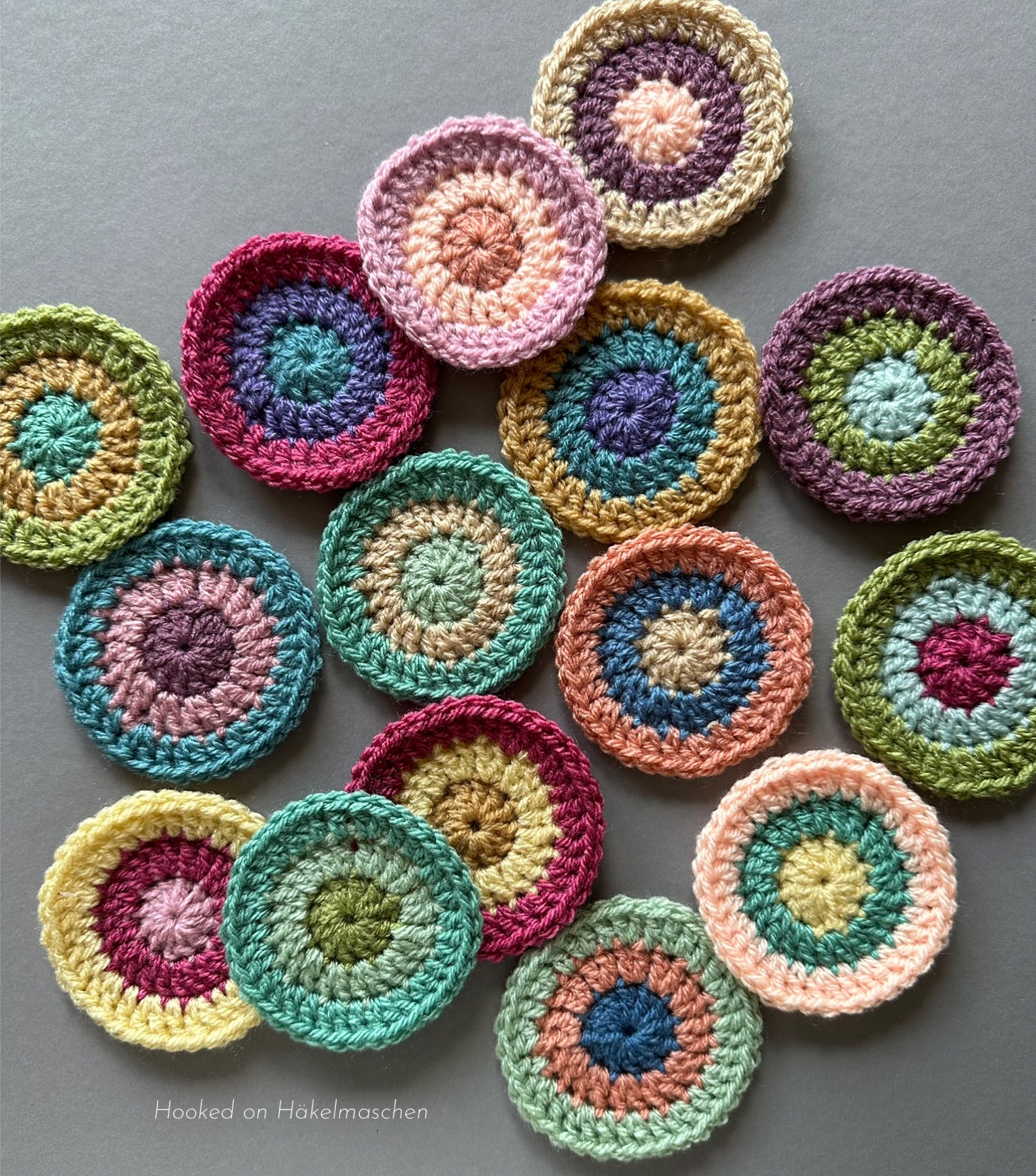
Afterwards I repeated my random selection – same steps as described above – and crocheted another 10 circles. You can see the result in the cover photo above. Here, too, I was not disappointed by a single one!!

My 25 circles are meanwhile all turned into squares. I used Stylecraft Special DK in Graphit as I thought a dark colour would showcase the colourful circles best.

Yep – a lot of tails to work away, but all done! My squares could do with a bit of blocking though. But so far I am very happy with my experiment!

Now I will have to think about the best way to join them AND what to do with them once they are joined. I can imagine either a wall hanging or a cushion cover. I’m not sure yet …

Anyway, I will let you know. And of course I will provide some information on how I made the circles / squares and what my layout looks like!

See you next time 💕

How do you choose colours?

How do you choose colours for a new project? Do you like to go to a yarn shop and hold the balls to each other? Do you have colour samples of your favorite yarns?

I love shopping in yarn shops but unfortunately the DK yarns I like to use for my blankets are not available in my local shop. So I mostly order my yarn online. But ordering online means that you never know how close the colours you see on the screen come to reality. Especially when ordering yarn for a specific project it is more than annoying when the colours are not as you imagined them. I often went wrong!

After several failures I got myself shade cards of my favorite yarns. They helped me a lot! I can now see the colours in reality! And above all I can now better assess how close – or far – the representations on the various websites are to reality.
The disadvantage of shade cards is that they quickly can become outdated as new colours are added (and others discontinued).

And unfortunately you cannot place the colours on a shade card next to each other like you would in a yarn shop. My imagination often doesn’t go so far that I can put several colours together in my head and say whether they look good together or not. With 2 or 3 colours it works quite well, but with 5 or more it is usually difficult.

Virtual yarn balls

With the help of my shade cards I found out that for example the display of colours of Stylecraft yarns is very good on their website (at least on my devices). This has opened up new possibilities for me. I downloaded the Special DK colour swatches from there and am now combining them in an app which I also use for collages.

It is great to play around with. You can easily try out colour combinations, move the patterns around, add or change colours. I love it.

This sample was inspired by a mood board of Pipin Poppycock. I used this combination of Stylecraft Special DK for a – still top secret – project and am very happy of how it turned out.

Stylecraft Yarns has kindly allowed me to publish these swatches, mentioning the brand.

„Hardware“

Unfortunately, it should not be underestimated how some colours change in combination with others. 
Silver, for example. In my Winter Wonderland blanket, in combination with white and other greys, it looks really silver. In the combination shown above, with different shades of apricot and rose, it looks more bluish. At least for me, these effects are difficult to predict on the screen. I can imagine them better when I actually have the colours in front of me, in reality … My lack of imagination again …

That’s why I looked around for other options.

I’m actually really keen on those beautiful yarn pegs that you see everywhere on the internet. But all the ones I’ve found so far are pretty expensive – not for the pegs but for the shipping costs to my country. So I came up with the idea of making a few swatches myself – initially with the colours from my stash.

First I got myself little plastic cards. They are about 3 x 4 cm . I like them, especially as they came in a small box where they can be safely stored.

Unfortunately they only offer little space for labelling. It is difficult to put all the necessary information such as brand, colour number and name on it. I therefore had to use abbreviations for the yarn brand. As my list of shortcuts grew longer and longer I decided to use them only for my thinner cotton yarn.

One day I saw a post by a lady who creates beautiful scrapbooks for her projects. I have unfortunately forgotten her name, otherwise I would credit her here. She had made little crochet squares that she could pin back and forth as she wished. This gave me the idea to do the same to put my colours together – without a scrapbook though.

These squares are also ideal for playing with, trying out and photographing colour combinations and so on. Without having a scrapbook the only problem is the allocation of details such as brand and colour code. At first I thought about labelling each square with a small label so that I could write down all the important details. But somehow that was too impractical for me.

So I switched to wooden sticks. I label them with shade number and name and wrap the thread around them. This is done in no time and there’s enough space on the back of the stick to write down the brand.
Some people might see this as “double”, but it has worked perfectly for me so far.

My pile is growing, even though I’m not finished yet. I had no idea  that I already had so many colours in my stash. Every very time I order yarn now, I pick an extra ball of one or two colours that I don‘t have yet but might use in one of my future projects. I’m well on my way to building up my own collection!

Good to know – How much yarn will I need if …?

Recently I have often had to answer the question of how much yarn you need if you want to replace the yarn used in the instructions for a pattern with a different one. I would therefore like to tell you what problems I had with it at the beginning and how I now calculate my individual yarn needs.

Usually, the yarn used and the amount required are included in the pattern. So far so good. The problem often starts when you want to use a different brand or – even worse – a different weight of yarn for your project.

Different yarn weights – my nightmare

All the different yarn types, weights and yardages can be very confusing. I still remember well when I started crocheting again about 10 years ago, I was helpless when it came to choosing the right yarn. That was the time when I started working according to English patterns and most of them called for foreign yarns. Brands like Stylecraft, Scheepjes and Caron, to name only a few, were not available in our German retail stores. So I had to replace them with other brands. In Germany, there is also no system that classifies the different yarn weights. Only in the last few years the American system has been adopted by some companies. So I was really lost as I had no idea what was meant by terms like DK, Aran, sport weight, fingering and so on.

At first I thought that the needle size indicated on the banderole was decisive. Believe me, it isn’t.
Picking a yarn based on this often meant that I had too much or too little yarn and/or that my crochet piece was not the size I wanted because my yarn was too thick or too thin. 

After getting it wrong several times, I started ordering my yarn from foreign online stores to get the exact yarn that was called for in the pattern. This is how I discovered that there is a system abroad that categorises yarns into different groups.
It was only after I had done a little research into the different yarn weights that I realised that the thickness of the yarn also affects the length of the thread.. This is actually logical, a thinner thread must be longer to weigh the same as a thicker one. A thicker one will be shorter instead. I had just never thought about it.

An example:

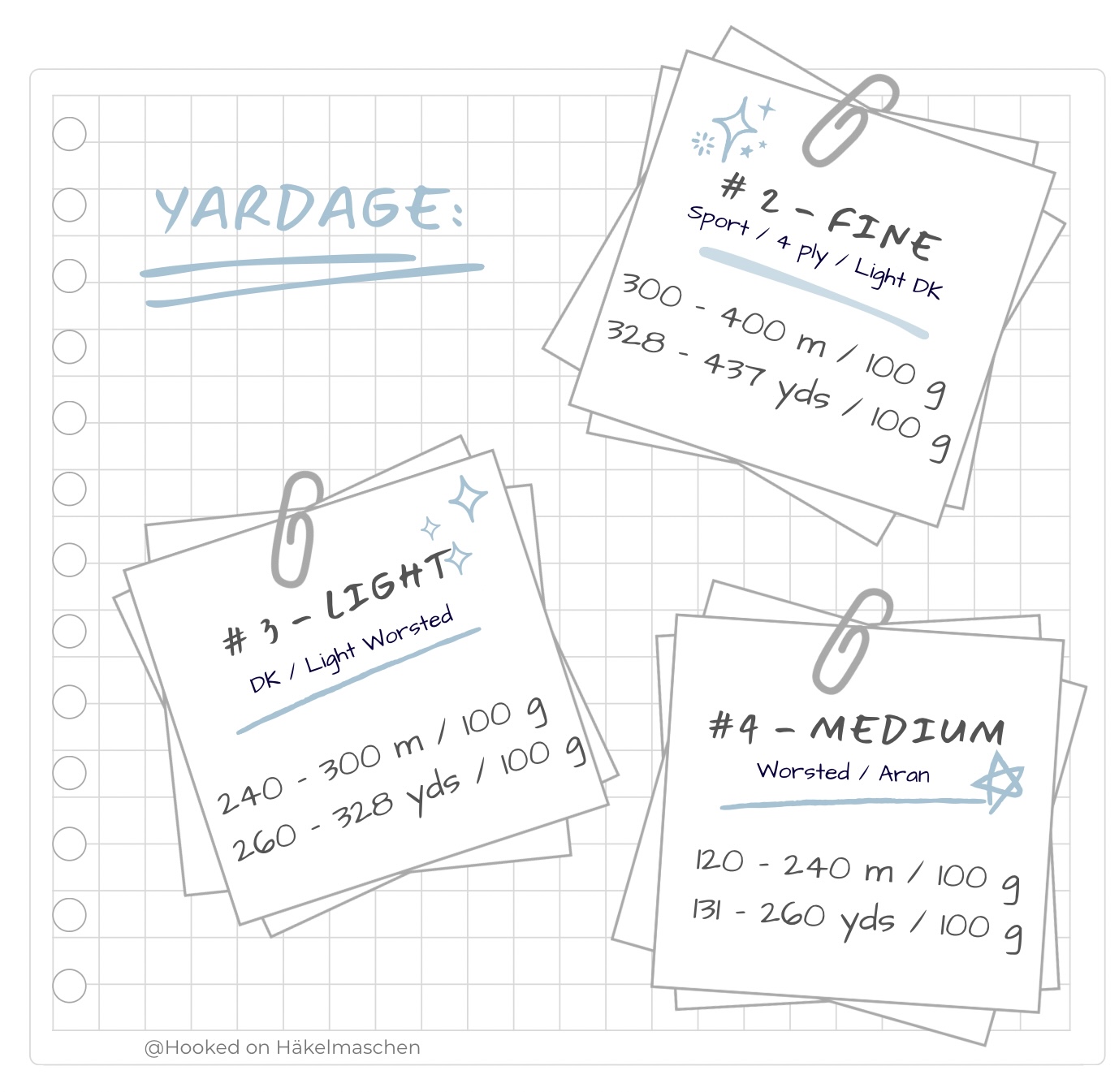
DK yarn (#3) has a yardage of between 240 and 300 m per 100 g ball, while Aran yarn (#4) has only 120 to 240 metres for the same weight.

With this knowledge, I have changed my personal system for selecting a suitable yarn. If I shop in Germany and the yarn label doesn’t say what thickness / yarn weight it is, the yardage helps me. I just have to remember the running lengths of the different yarn groups and I will know that a ball with, say, 145 metres per 50 g is a DK weight because it will have 290 metres per 100 g.

But I have learnt even more. The yardage is also helpful if I want to use a different yarn weight to the one given in the pattern. Here is an example:

Changing yarn weights

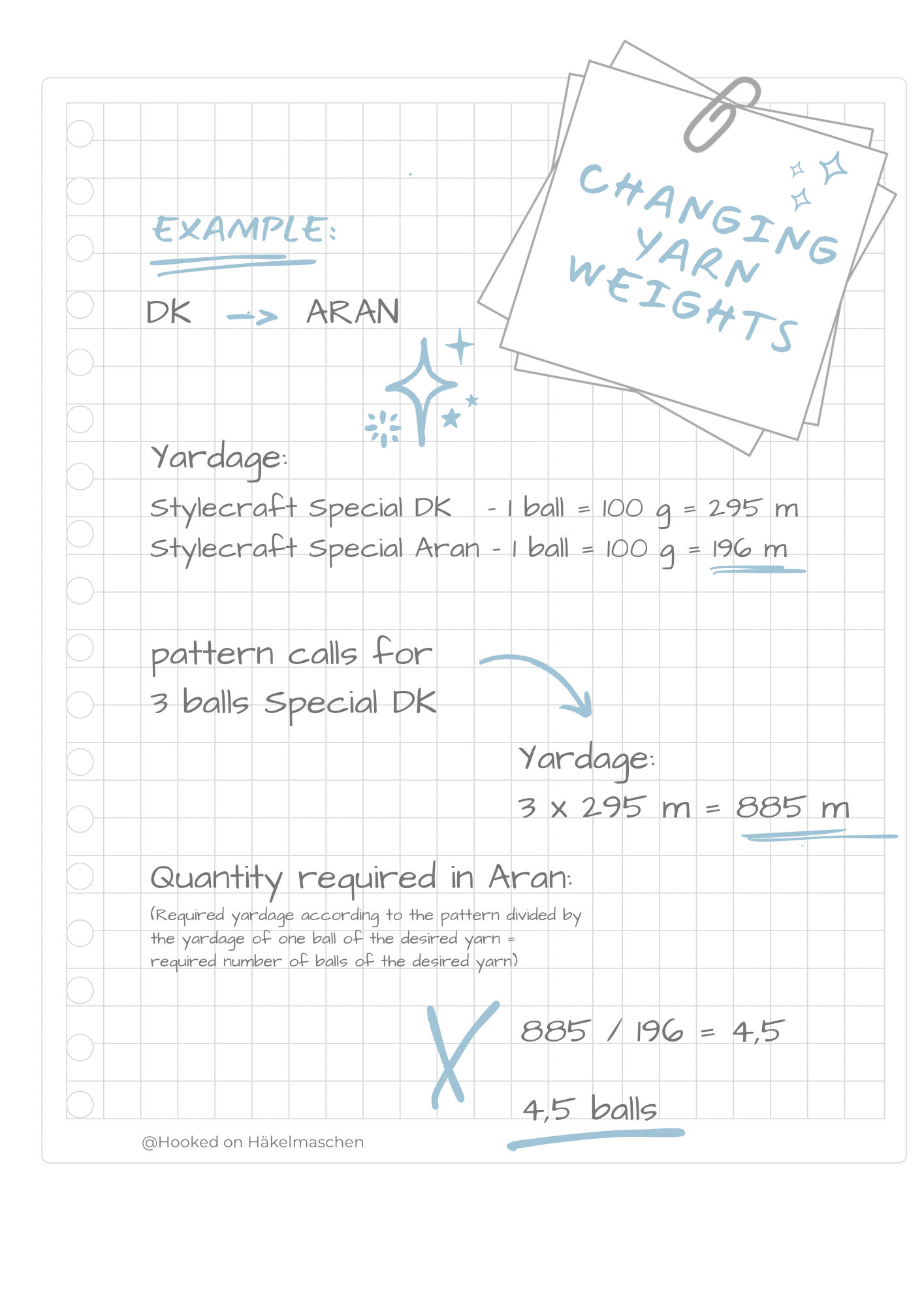
Let us say your pattern calls for 3 balls of Stylecraft Special DK but you would like to use Aran because you like your piece to be a little thicker. 3 balls Special DK are 300 g but if you buy 300 g Aran, you will definitely have too little yarn. How much do you need then? I calculate it using the yardage.
Simply look at the amount of yarn needed for the pattern and calculate how many metres or yards it will be. To do this, multiply the number of balls by the length of one ball. This gives you the total yardage you need.

Now take a look at the yarn you want to use. What is the yardage of one ball? Divide the total yardage you calculated earlier by the yardage of one skein of the yarn you want to use and you will know how many balls you need to buy.

If you need more than one colour, repeat this for each colour.

To visualise this calculation, please just look at the picture below.

I never went wrong this way! At least it works for classically twisted yarns. Modern yarns with a completely different structure might be different.

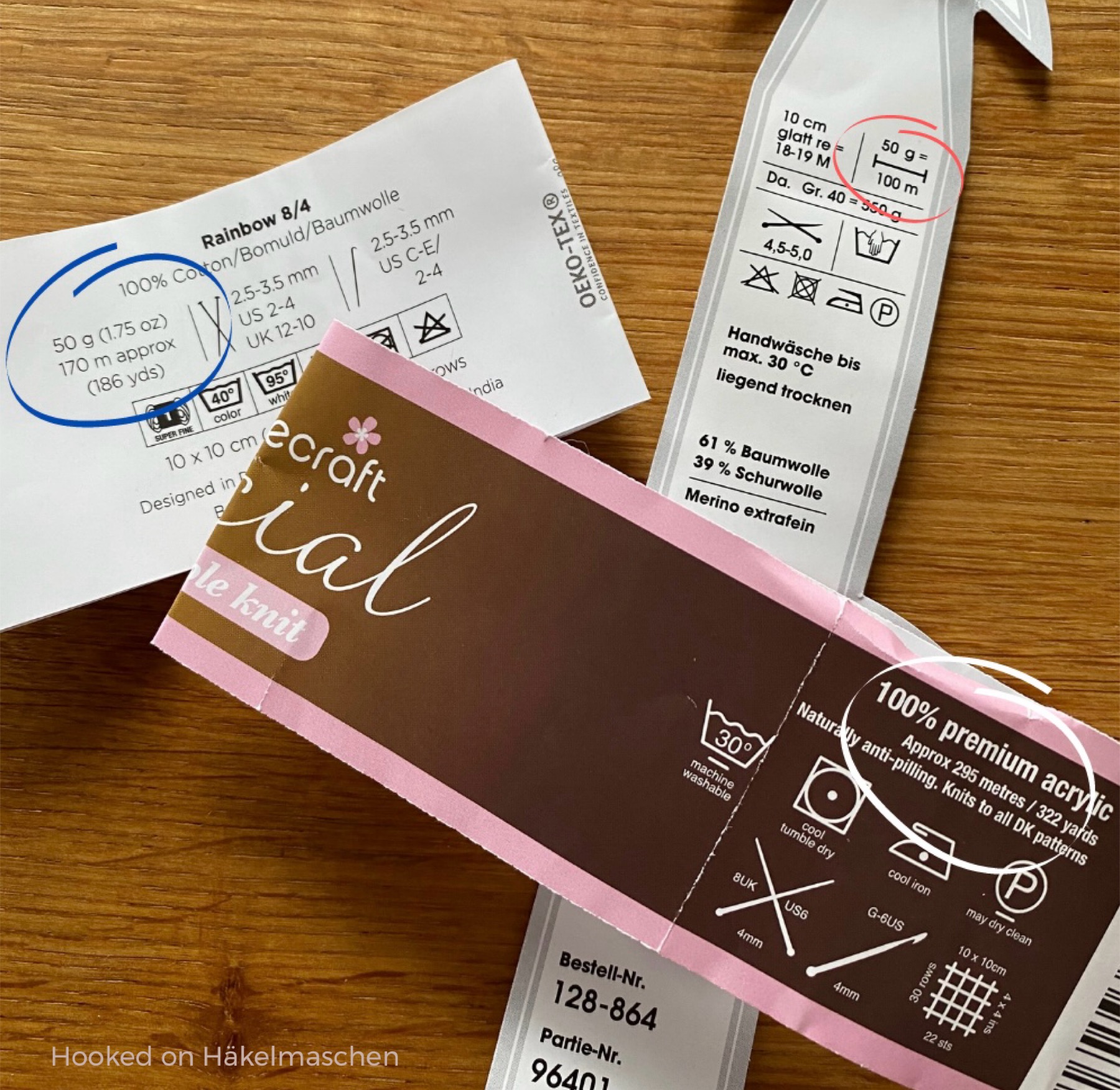
The yardage of a yarn is always is indicated on the label.
In many patterns, the length of the yarn is given together with the information on the yarn used. If this information is missing, simply search for the yarn in the internet, either in an online shop or directly at the manufacturer.

But please bear in mind that changing the yarn weight will affect the size of your project. For garments such as jumpers etc, I would advise against this unless you also know how to adjust the pattern.

I hope this was helpful 💕